BUG REPORT
Draw Pixel Art
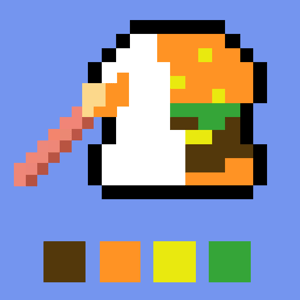
Players who enjoyed Draw Pixel Art also loved these




Hot titles being played across the platform
 HOT
 HOT
 HOT
 HOT
 HOT
 HOT
 HOT
 HOT
 HOT
 HOT
 HOT
 HOT
 HOT
 HOT
 HOT
 HOT
 HOT
 HOT
 HOT
 HOT
Pick another awesome game and continue playing









Remember those old-school 8-bit sprites that made the NES and Game Boy so iconic? Draw Pixel Art flips that nostalgia into a creative arcade challenge where your job is to recreate pixel-perfect images one block at a time. It's the kind of game that looks simple on the surface — just fill in squares, right? — but quickly turns into a test of patience, color matching, and steady hands. That satisfying "aha" moment when a messy grid suddenly snaps into a recognizable character or object is exactly why this one keeps pulling players back.
It's become a go-to pick on unblocked games for school because it loads instantly, needs zero downloads, and works on any Chromebook or classroom PC. Whether you're sneaking in a quick round between classes or grinding for a perfect score, Draw Pixel Art delivers that addictive arcade loop without the bloat.
The objective is straightforward: you're shown a target pixel image, and you have to fill in the grid to match it as closely as possible. Each square you color gets compared against the reference, and your accuracy determines your score. Some versions add a time limit, others track your move count — either way, precision beats speed.
Desktop controls: Use your mouse to select a color from the palette, then click individual grid squares to fill them. Many builds let you click and drag to paint multiple cells in one sweep, which is a lifesaver on bigger grids.
Mobile controls: Tap to place pixels and swipe to paint across rows. The palette sits at the bottom of the screen, so thumb-switching between colors feels natural.
Most players start with a small grid and unlock larger, more detailed canvases as they progress. Finish the image within the target accuracy and you move on to the next challenge.
1. Block out the outline first. Before you touch colors, mentally trace the shape's edges. Filling the border pixels first gives you a frame to work inside and prevents messy, off-by-one mistakes.
2. Work in color groups, not rows. Instead of going top-to-bottom, pick one color and place every instance of it at once. This cuts down on palette-switching and keeps your rhythm smooth.
3. Zoom in on symmetry. Many pixel images are symmetrical. Find the center line and mirror your pixels — it's faster and dramatically boosts accuracy on detailed sprites.
Yes, it's completely free on browser-based portals. You'll often find it listed among games unblocked cool math and unblocked games premium 77 collections, so there's no paywall or download required.
Absolutely. It's lightweight, runs in any modern browser, and doesn't need Flash or special plugins — which is exactly why it's a favorite on unblocked game sites.
Surprisingly, yes. Constantly matching colors and shapes trains your eye for proportion and shading, which translates to better pixel art and even traditional drawing.