BUG REPORT
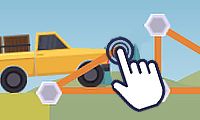
Draw The Bridge

Players who enjoyed Draw The Bridge also loved these















Hot titles being played across the platform
 HOT
 HOT
 HOT
 HOT
 HOT
 HOT
 HOT
 HOT
 HOT
 HOT
 HOT
 HOT
 HOT
 HOT
 HOT
 HOT
 HOT
 HOT
 HOT
 HOT
Pick another awesome game and continue playing















Ever watched a stunt driver casually launch a car over a canyon and thought, "I could do that"? Draw The Bridge hands you the pen and lets you find out. The premise is dead simple: a vehicle is barreling toward a gap, and the only thing standing between it and a fiery crash is the line you draw. Sketch a ramp, a bridge, or some gloriously over-engineered loop-de-loop, and pray your physics homework holds up.
It's the kind of game that eats entire lunch breaks. One round you're a civil engineering genius; the next, your car is doing somersaults into the void because you got cocky with a steep angle. That instant "one more try" loop is exactly why it's a staple on every unblocked games portal — no downloads, no waiting, just pure trial-and-error chaos. Whether you're killing time between classes or procrastinating at work, it loads fast and hooks faster.
Your objective is straightforward: get the vehicle from point A to point B without turning it into scrap metal. Each level drops you at a starting platform with a gap, pit, or spike field ahead. You draw a bridge or ramp with your mouse or finger, hit go, and watch the physics engine judge your life choices.
Desktop controls: Click and drag to draw your bridge line. Release to lock it in. Hit the play button (or spacebar, depending on the version) to launch the vehicle. Some builds let you right-click or use a reset button to erase and redraw.
Mobile controls: Tap and drag with your finger to sketch the bridge, then tap the go button. Touchscreens actually make fine-tuning curves a bit easier, so don't sleep on playing on your phone.
The catch? Your bridge has to actually support the vehicle's weight and momentum. Draw too thin and it snaps. Draw too steep and your car flips. Balance is everything.
1. Anchor both ends first. Before you get fancy, make sure your bridge touches solid ground on both sides. A beautiful arc that doesn't connect is just abstract art.
2. Use gentle slopes, not cliffs. A gradual incline keeps your vehicle's wheels down and momentum steady. Sharp angles send cars airborne — which is fun, but rarely successful.
3. Add support beams for heavy vehicles. When trucks or buses show up, a single thin line won't cut it. Draw triangles or extra anchor points underneath to distribute the load. Think like an engineer, not a doodler.
Bonus tip: if a level feels impossible, redraw from scratch instead of tweaking a broken design. Fresh eyes beat stubborn edits every time.
Yes — it's a free browser game. You can jump straight in from any unblocked games g+ or unblocked games 6x site without paying a cent or signing up.
Absolutely. The touch controls work great, and drawing with your finger often feels more precise than a mouse for curved bridges.
Usually it's too thin, too steep, or missing support points. Thicken your line, flatten the angle, and add anchors where the weight concentrates. Physics doesn't negotiate.