BUG REPORT
Minecraft Builder
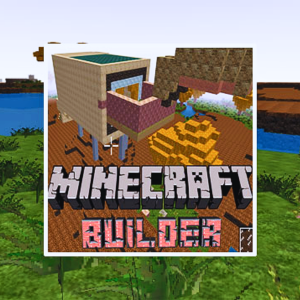
Players who enjoyed Minecraft Builder also loved these









Hot titles being played across the platform
 HOT
 HOT
 HOT
 HOT
 HOT
 HOT
 HOT
 HOT
 HOT
 HOT
 HOT
 HOT
 HOT
 HOT
 HOT
 HOT
 HOT
 HOT
 HOT
 HOT
Pick another awesome game and continue playing













If you've ever lost hours stacking blocks in a sandbox world, Minecraft Builder is the browser-based brain teaser that scratches that same itch — without the download. The premise is simple: you're handed a limited set of blocks and a blueprint-style target, and you need to recreate the shape using logic, spatial reasoning, and a bit of patience. It sounds easy until the grid gets tight and every misplaced cube throws off your whole design.
This is why it's become a staple on unblocked games wtf and similar portals. It's a puzzle game that feels like play, not homework. Students and office workers love it because it loads instantly, runs on almost any device, and rewards the kind of creative thinking that regular action games ignore. Whether you're killing five minutes or grinding through fifty levels, Minecraft Builder keeps your brain switched on.
The objective is straightforward: match the target structure shown on screen by placing blocks in the correct positions on the grid. Each level gives you a fixed number of blocks, so wasting them means restarting. As you progress, blueprints get more complex — symmetry, layering, and color matching all come into play.
Desktop controls:
Mobile controls: Tap to place, tap again on a placed block to remove it, and drag your finger to rotate the view. The interface is touch-friendly, so you can play comfortably on a phone during a commute.
1. Study the blueprint before placing anything. Count the blocks in the target image first. If the blueprint uses 12 cubes and you only have 12, there's zero room for error — plan your placements mentally before you click.
2. Build from the base up. Just like real construction, laying the foundation first prevents you from boxing yourself into a corner where higher layers can't be supported. Gravity logic (even in simplified form) will punish messy stacking.
3. Use symmetry to your advantage. Most blueprints are symmetrical. Build one half, then mirror it. This cuts your thinking time in half and drastically reduces mistakes on complex levels.
Yes. It's completely free on browser gaming sites. You can unblock games like this one without paying a cent or creating an account.
Absolutely. Portals like unblocked games g+ host it specifically so it works on restricted networks. Just load the page and start building.
Yes, the touch controls are well-optimized. Performance is solid on most modern smartphones and tablets, though a larger screen does make complex blueprints easier to read.