BUG REPORT
Running Fred

Players who enjoyed Running Fred also loved these












Hot titles being played across the platform
 HOT
 HOT
 HOT
 HOT
 HOT
 HOT
 HOT
 HOT
 HOT
 HOT
 HOT
 HOT
 HOT
 HOT
 HOT
 HOT
 HOT
 HOT
 HOT
 HOT
Pick another awesome game and continue playing













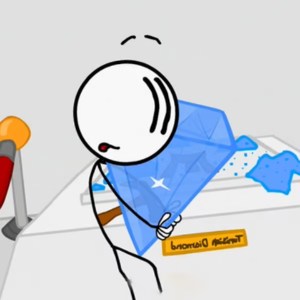
Running Fred isn't your typical endless runner where you just dodge a few obstacles and call it a day. This game flips the formula by throwing you into a chaotic, trap-filled gauntlet where death is basically part of the learning curve. You play as Fred, a ragdoll hero who's constantly sprinting toward the exit while spikes, saw blades, and bottomless pits try to turn him into confetti. What makes it so addictive? The ragdoll physics. Fred tumbles, flips, and splats in hilariously over-the-top ways, which makes every failed run feel less frustrating and more like a comedy sketch. It's a favorite among students hunting for unblocked games for school because it loads fast, runs smoothly on Chromebooks, and delivers instant action without any downloads.
The goal is simple: survive as long as possible, rack up distance, and grab as many coins as you can before Fred meets an untimely end. The longer you run, the faster the game gets, and the more brutal the traps become. You'll need sharp reflexes and a bit of luck.
On desktop, use the arrow keys or WASD to move. The left and right keys control your running direction, the up key jumps, and the down key makes Fred slide or duck under low-hanging hazards. Timing is everything—jump too early and you'll land right on a spike, jump too late and you're already a pancake.
On mobile, the controls are touch-based. Swipe left or right to change lanes, swipe up to jump, and swipe down to slide. The touch response is snappy, so it works well on tablets and phones during a quick break. Whether you're on a school laptop or a personal device, Running Fred plays the same way—fast, frantic, and unforgiving.
1. Look Ahead, Not at Fred: Your eyes should be scanning the top third of the screen, not glued to the character. Anticipating traps two or three moves ahead is the difference between a 500-meter run and a 5,000-meter run.
2. Master the Slide-Jump Combo: When you see a low obstacle followed immediately by a gap, slide first, then jump the instant Fred's feet touch the ground. Chaining these smoothly keeps your momentum and avoids that awkward mid-air stall that gets you killed.
3. Don't Hoard Coins—Spend Them: New characters often come with subtle perks like better handling or slower speed scaling. Buying a fresh skin isn't just cosmetic; it can genuinely improve your survival odds. Save up early and invest.
Yes, it's completely free. You can play it directly in your browser on sites offering classroom games unblocked, with no downloads or sign-ups required.
Absolutely. It's a lightweight browser game that runs on almost any device, including Chromebooks. As long as you can access an unblock games portal, you're good to go.
There's no hard cap—the game keeps getting faster until you inevitably slip up. The real challenge is beating your own record and unlocking every character. Some players have pushed past 10,000 meters, but it takes serious practice.